Engineering
LinkedIn Recruiter
A collection of accessible AI integration and UI optimization features to reduce the time it takes for LinkedIn Recruiter users to find qualified candidates.
- When
- Jul 2022 - June 2025
- Where
- Who
- LinkedIn Enterprise Jobs & Job Wrapping Teams
Problem
Recruiters' jobs can be made easier through various features integrated into the tools they already use to post jobs and identify candidates. As a Software Engineer at LinkedIn working on Enterprise Jobs features, we were beginning to have the opportunity to leverage AI to help recruiters using LinkedIn Talent Solutions to perform their tasks more seamlessly and efficiently. My teams focused on assisting our users in posting jobs, managing applicants, and ensuring that jobs attract qualified candidates.
Process
I led the front-end development of a few key projects, from collaborating with cross-functional partners on planning and feasibility to writing technical plans, executing across tight timelines, and implementing metrics to determine success based on user interaction tracking. Most of these projects were built using Ember, which the LinkedIn Recruiter product uses for all of its front-end development, with the use of some SQL queries to create dashboards for success metrics.
AI-Assisted Job Posting and Applicant Management
The first impactful project I worked on involved adapting another team's system that produced AI-based recommendations exposed to the user within a chat-based widget. The goal of this project was to reduce the time that it takes for users to post jobs manually on LinkedIn by providing them with recommendations for saved drafts, previous job postings, or updates to fields based on what they had already inputted. I worked with a backend engineer to extend the existing system to provide recommendations for job posting fields, consulting with the owning team for guidance and collaboration in contributing to their system.
One main difference was the input - for the existing system, recommendations were produced when the user interacted with the widget by requesting help using a chat input. For our implementation, we considered how this could be disruptive to the user's experience of filling out a long form, and decided to have recommendations appear on the widget based on the input of filling out form fields instead. This choice involved some technical changes including adding a way to hide the chat within the existing system, hiding some chat messages, and using a service to trigger the request for recommendations rather than handling it within the component.
Our different approach also raised accessibility concerns - if a visually impaired user interacting with the form wasn't notified of new content on the page, they could miss the new feature entirely until after they had filled out the form. On the other hand, we didn't want to interrupt the flow for those navigating the job posting form with a screen reader by shifting the focus to the widget every time there was a recommendation. I considered a few solutions and ended up moving forward with leveraging the aria-live attribute with the "polite" value to notify screen readers of new content on the screen without moving their focus away from their place on the form. The job posting form and widget with recommendations are can be seen side-by-side in the image below.
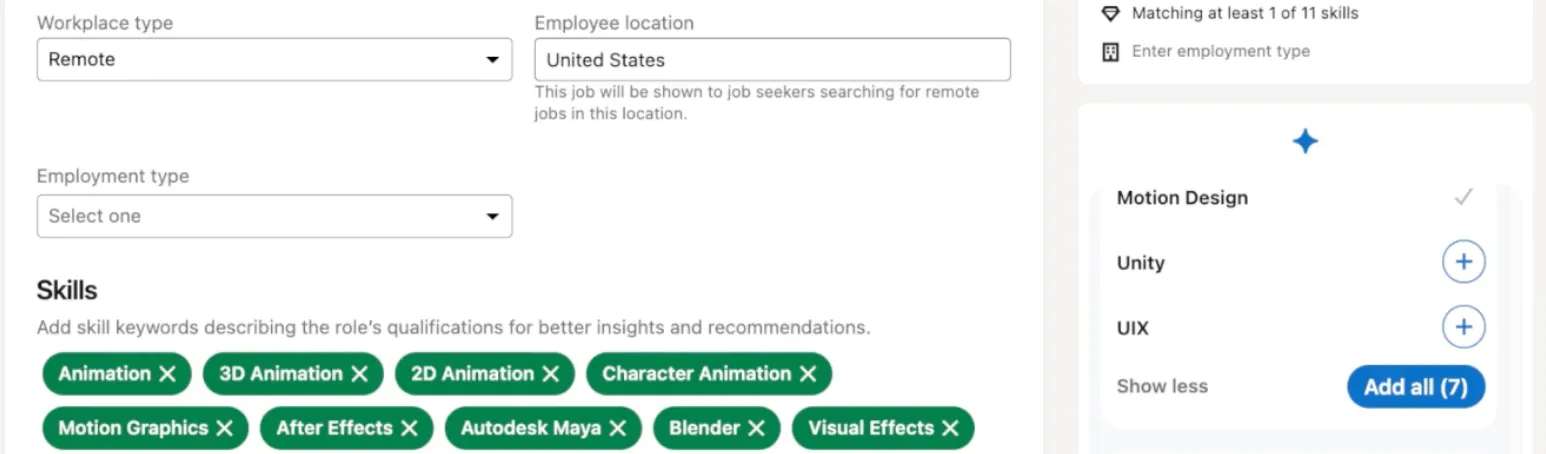
This project was part of a key launch of new LinkedIn Recruiter features, and I later extended this project to apply the widget to be used to manage applicants, providing recommendations for recruiters in filtering large lists of candidates based on their hiring criteria. More about the feature can be found in the press release here.
LinkedIn Hiring Assistant
In the fall of 2024, I worked on the delivery of LinkedIn's first AI Agent, which helped place the company at the forefront of innovation in the hiring space when it comes to AI integrations. I collaborated with one other front-end engineer and three back-end engineers to deliver the applicant management pieces of this agentic experience. The goal of these features was to reduce the more repetitive and mundane tasks that recruiters spend a lot of time on in identifying qualified candidates. The hope was that this assistance would free up time that could be used for getting to know applicants on a more personal level, and therefore making more informed hiring decisions. I created the technical plan for this project and executed it in time to be highlighted at LinkedIn's Talent Connect.
The features I developed included a place to customize thresholds for the extent to which candidates would need to meet qualifications in order to be considered a good fit, in-product notifications when top applicants were evaluated by the agent, and evaluation summaries shown on applicant profiles to show how well they fit the specified criteria.
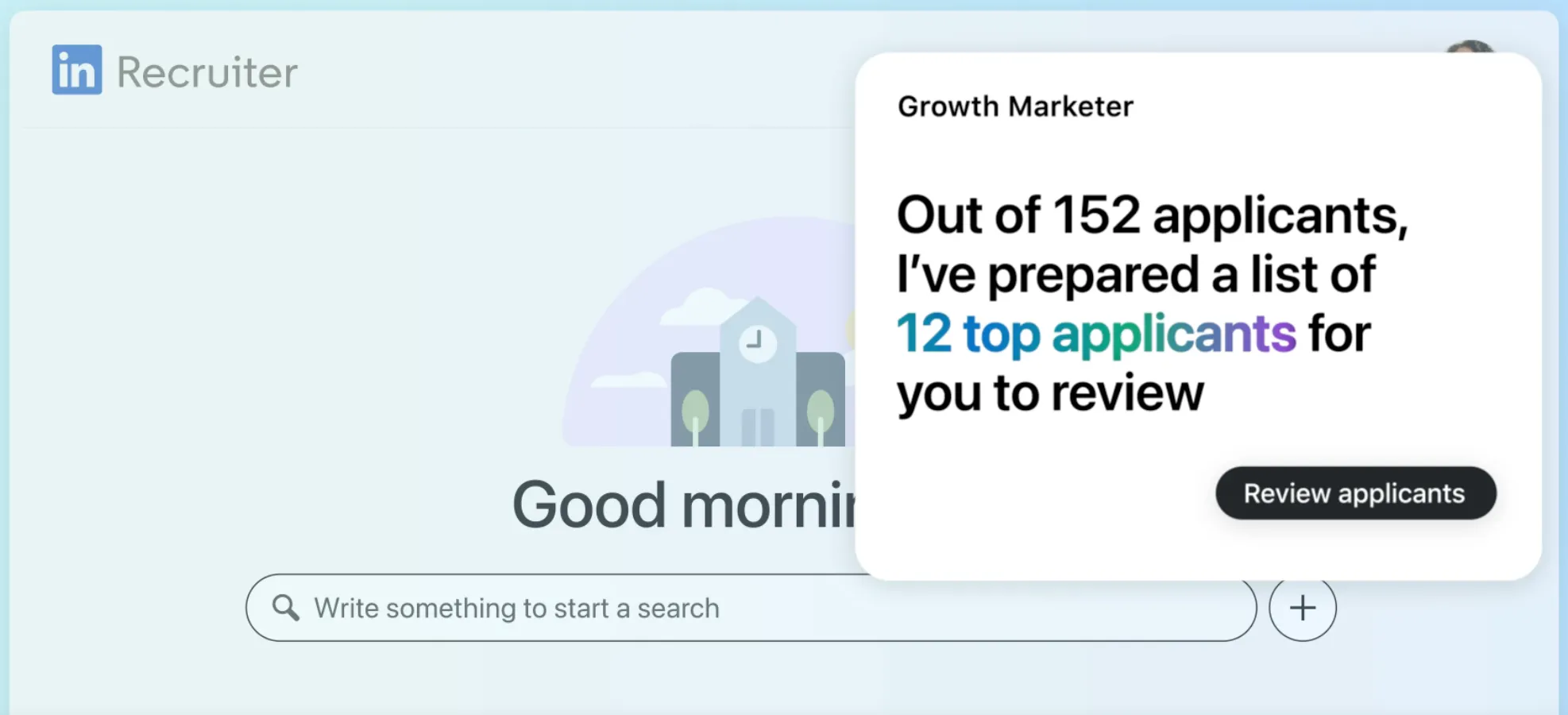
The size of this technical undertaking was quite large as it involved understanding the entire Hiring Assistant system, which was part of a bigger launch that so many teams were working on at the same time and involved a lot of cross-team collaboration to unblock each other and ensure we all worked efficiently. This project also involved touching parts of the project that had been static for years, and we were constantly unearthing cleanup tasks or areas of potential improvement that came with reinvesting into previously very stable features, and figuring out how to prioritize these in relation to our already tight timeline. The press release for this overall project can be found here.
After these projects were launched, I worked on creating internal dashboards built using SQL queries that pulled data from user interactions, with the goal of analyzing how recruiters were navigating our features both with and without AI-assisted features. With this, we were able to determine which specific features users were integrating into their existing product use and how much time was saved using AI-assisted features, which helped inform future product iterations and decisions.
Impact
During my time at LinkedIn, I identified ways to improve our technical process and weave in issues that I am passionate about: accessibility and cross-disciplinary collaboration. Within my first few months after joining, I noticed that there was not a large focus on accessibility within the projects that we were creating, and began searching for ways to encourage this within my team. I worked with my manager to allot time to be a member of an internal company-wide program meant to educate about web accessibility practices and increase overall company accessibility compliance, and I ended up convincing others within my larger area of the product to complete the program as well.
After the completion of this program, I wanted to bring this back to my team. My main goals were to educate and persuade my team members to engage with accessibility - I identified that the main barrier to making my team's features usable to all regardless of background or disability was mindset and investment in doing so.
I conducted research leveraging the external connections I had made during the program to find statistics related to business earnings and engineering hours, drawing from my observations of what powered leadership decisions within my subset of the company. I wanted to emphasize how creating products for all brings in more money in order to appeal to those with decision-making power, and how not doing so means that eventually, we will need to make features accessible when issues arise in the future through customer escalations and yearly accessibility audits, effectively creating tech debt that takes more time to fix in the long run.
I presented my findings along with some tangible plans for how we could encourage a "shifting left" mindset to catch accessibility bugs before they reach development, focusing on how to weave this into design handoffs and code reviews, and achieved investment from my team's management in adding this to our design and development process. I served as a champion for accessibility within the three different teams that I was a member of at LinkedIn after this experience, bringing up conversations about accessibility during project planning stages and ensuring that accessibility standards are considered in my daily code reviews, as well as fixing bugs when identified during internal and external product reviews and audits.